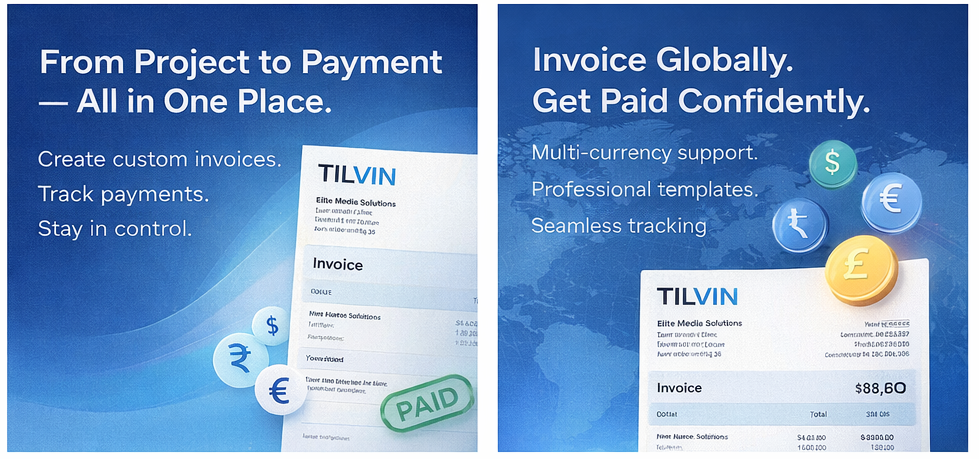
Discover how Tilvin’s customizable invoice templates, multi-currency support, payment tracking, and real-time status updates help businesses streamline billing and improve financial control.
Managing projects is only half the story. The real success of any business lies in how efficiently it converts completed work into revenue. Creating professional invoices, tracking payments, and managing due amounts shouldn’t require a separate system or complicated accounting software.
That’s where Tilvin’s Invoice Management System comes in — built directly into your project workflow to make billing simple, transparent, and powerful.
Let’s explore how Tilvin transforms invoicing into a smooth and stress-free process.
1️⃣ Create Professional Invoices in Minutes
Tilvin allows you to generate invoices directly from your projects using customizable templates.
From the Add Invoice screen, you can easily:
-
Set Invoice Date and Due Date
-
Auto-generate Invoice Numbers
-
Select Customers
-
Add detailed product/service descriptions
-
Define quantity, rate, tax, discount, and totals
Everything updates automatically — including:
-
Before Tax amount
-
Total Tax
-
Final Total Amount
No manual calculations. No spreadsheet errors.
Just clean, professional invoices ready to send.
2️⃣ Custom Invoice Templates for Your Brand
Every business is unique — your invoices should reflect that.
With Tilvin, you can:
-
Create custom invoice templates
-
Add your company branding
-
Include bank details
-
Add Terms & Conditions
-
Customize layout structure
This ensures every invoice you send looks professional and consistent with your brand identity.
Your Brand.
Your Invoice.
Your Rules.
3️⃣ Multi-Currency Support for Global Clients
Working with international clients? No problem.
Tilvin supports invoices in different currencies, making it ideal for:
-
Global agencies
-
Freelancers
-
Export businesses
-
SaaS providers
Currency values are clearly displayed in:
-
Total Amount
-
Due Amount
-
Paid Amount
-
Overdue Amount
This ensures financial clarity regardless of where your clients are located.
4️⃣ Real-Time Payment Tracking
One of the most powerful features is Invoice Status Management.
From the Invoice dashboard, you can instantly see:
-
Total Amount
-
Paid Amount
-
Total Due Amount
-
Overdue Amount
Each invoice clearly displays its status — such as:
-
Paid
-
Pending
-
Overdue
No more guessing who has paid and who hasn’t.
You get immediate financial visibility.
5️⃣ Easy Payment Entry & Partial Payments
Tilvin makes recording payments incredibly simple.
Using the Add Payment window, you can:
-
Enter payment amount
-
Select payment method
-
Add payment date
-
Add notes
-
Mark “Pay in Full” if applicable
The system automatically updates:
-
Remaining due amount
-
Invoice status
-
Dashboard totals
You can even track partial payments with complete transparency.
6️⃣ Built-In Financial Summary Dashboard
Your Invoice Index page provides a quick financial overview:
-
Total Revenue
-
Paid Amount
-
Due Amount
-
Overdue Amount
This gives business owners and managers instant insight into cash flow performance.
No exporting.
No separate reporting tool.
Everything inside Tilvin.
7️⃣ Send, Download, and Manage Effortlessly
Each invoice can be:
-
Downloaded as PDF
-
Sent via email
-
Edited
-
Updated with payments
All within a few clicks.
This keeps your billing workflow centralized, organized, and professional.
Why This Matters
Many project management tools stop at task tracking.
Tilvin goes further.
It connects:
Projects → Work Completed → Invoice → Payment → Revenue Tracking
This eliminates the gap between operations and finance.
And when your billing system is organized, your cash flow improves.
Final Thoughts
Tilvin’s Invoice Management isn’t just about generating bills.
It’s about:
-
Simplifying financial operations
-
Maintaining professional client communication
-
Tracking revenue in real time
-
Reducing payment follow-ups
-
Scaling confidently
If you want a project management platform that also helps you manage your revenue efficiently, Tilvin delivers both productivity and profitability in one unified system.